One tool, from the QR code to the kitchen
Dinevo connects three moments of service that today rely on back-and-forth trips, paper and re-typing.
The guest scans and orders
They open your menu on their phone, in their language, with photos and options. They order, follow their order live, then check the table’s bill.
The kitchen and the bar receive it
The ticket appears on screen instantly, with the table, first name, options and notes. Dishes go to the kitchen, drinks go to the bar.
You run the show
Menu, tables, payments and figures for the day, week or month: everything is managed from a single screen, on a computer or a phone.
What Dinevo changes for your venue
Less time lost taking and re-typing orders, more time to serve, and a clear view of what you sell.
Zero hardware
A QR code is all it takes: nothing to buy, nothing to install
No tablet, no kiosk, no till to replace. Moving, opening a pop-up or adding a terrace? You take your QR codes with you, that’s it.
Smoother service
Fewer trips to the table, fewer order mistakes
Guests pick their own options and leave their note. The order arrives exactly as they entered it: no more unreadable tickets or forgotten “no onions”.
International guests
Your menu translated instantly
Up to 7 languages, including Arabic with right-to-left layout. You write the menu once, translation is automatic, and you choose which languages to offer.
A living menu
Sold out? Removed with one tap
Prices, photos, descriptions, nutrition facts: everything updates live, no reprinting. A dish marked “sold out” disappears from your guests’ menu at once.
Kitchen and bar
Each station only sees what concerns it
A simple three-column screen: received, preparing, sent. The kitchen sees the dishes, the bar sees the drinks, and the guest follows progress on their phone.
Insights
Your figures, no spreadsheet needed
Orders, revenue, tips and best sellers, by day, week, month or custom period, with the daily average. Ready for your reporting.
Payment
You collect payment as you do today
Guests can call the waiter to pay from their phone. You take payment at the counter, by cash, card or otherwise, and free the table in one move.
Your brand
Your colours, not ours
Logo, colour, typography: the menu looks like your venue. QR codes come ready to print, in your branding, per table or per area.
Not a template. Your restaurant, on your guests’ phones.
Most QR ordering tools hand every venue the same page with a different logo on top. We do the opposite: we build your ordering site with you, around your identity and the way you serve.
Designed around your brand
Your logo, your colours, your typography, your photos. Guests should recognise your venue on their phone before they read a single dish.
Built around how you serve
Your menu families, your options, your kitchen and bar stations, your dining areas, the languages your guests speak. We set it up with you, table by table.
Shaped by your feedback
When your service needs something the product doesn’t do yet, we build it. Several features live today started as a request from a restaurant floor.
Our first partner restaurant
DS Café, The Lana Promenade, Dubai
French healthy-food brand DS Café chose Dinevo for its Dubai corner: 15 tables, a 43-item menu in English, French and Arabic, in the house colours. Here is the app as its guests and team use it.
The guest scans their table’s QR code
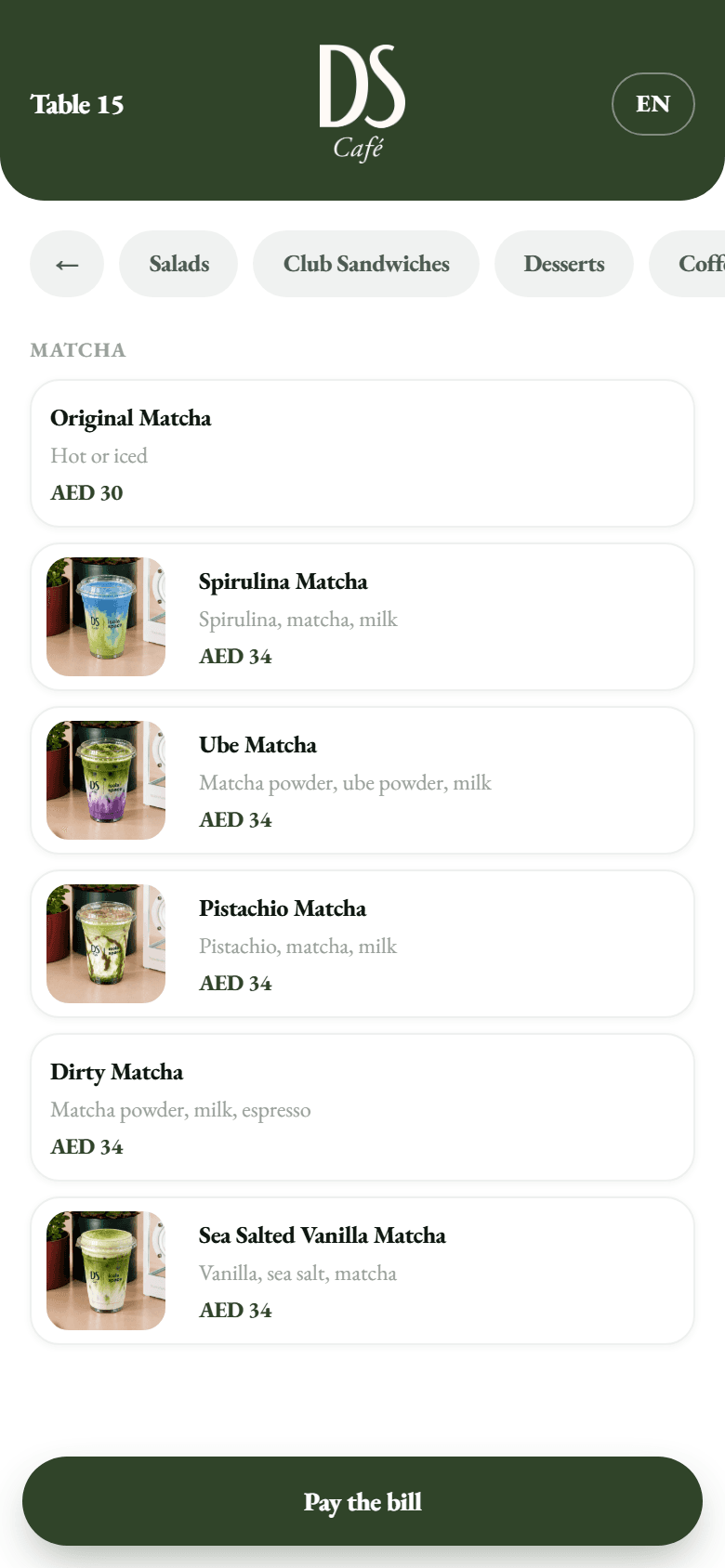
They land on the DS Café home screen: the Wi-Fi and the whole menu by family, from salads to matchas. Nothing to download, no account to create.
They browse the menu
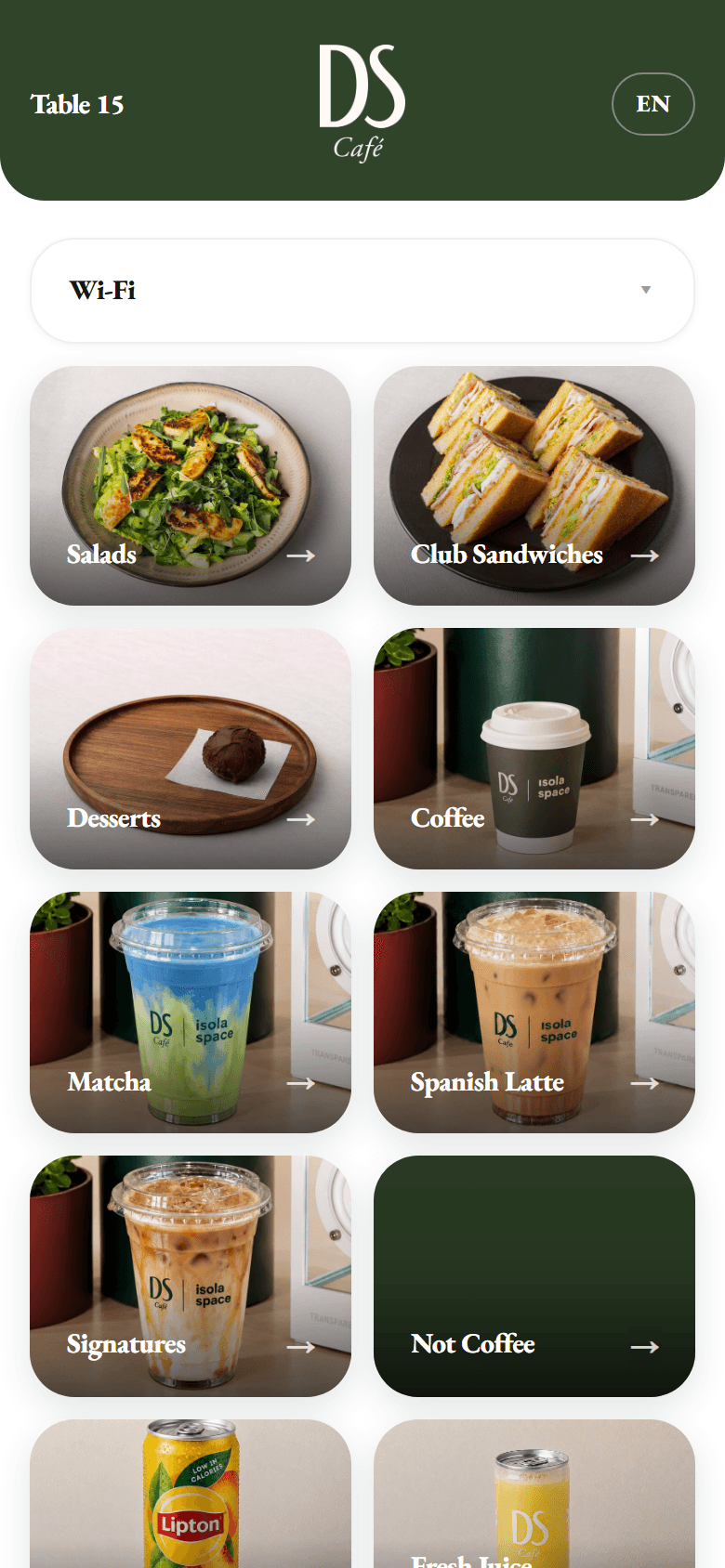
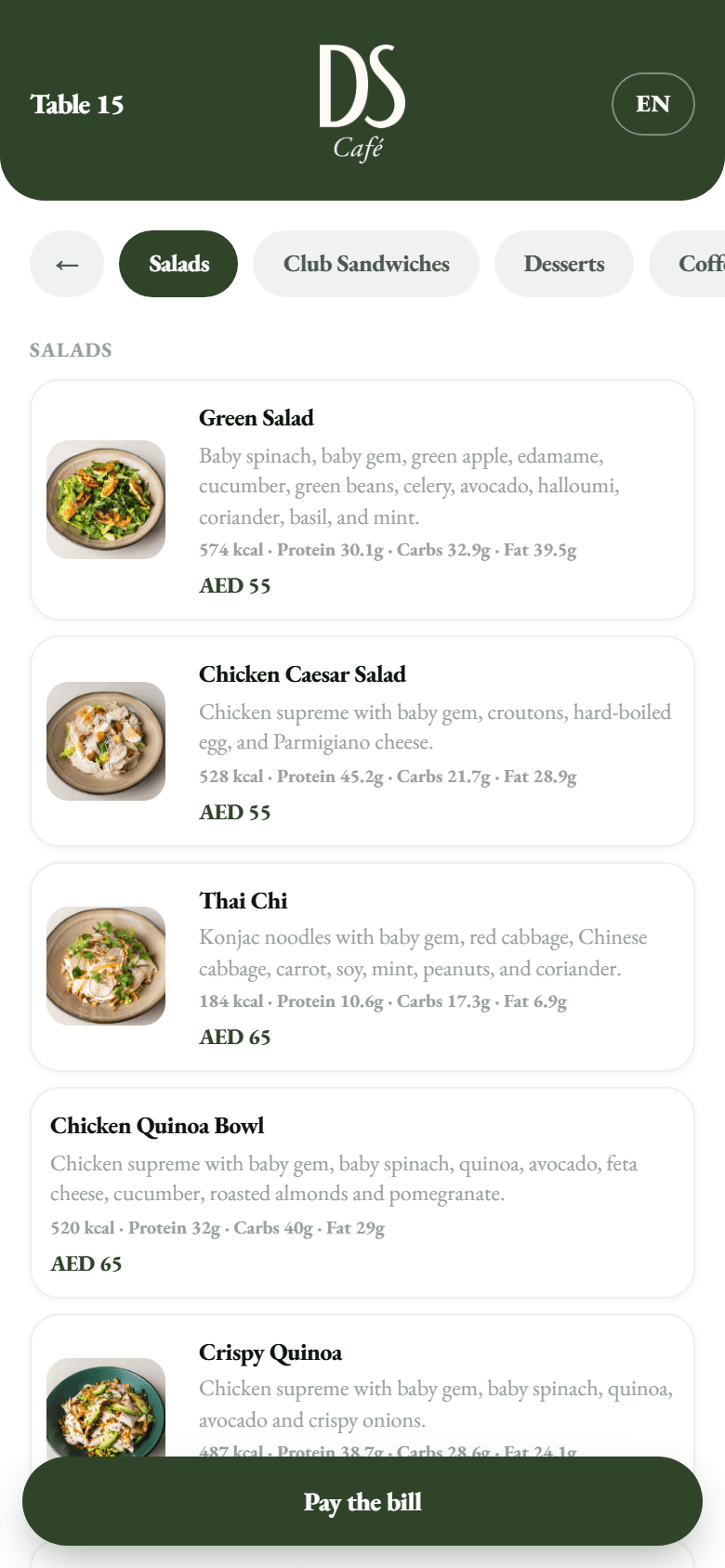
Categories in one tap, photos, ingredients, nutrition facts, prices from lowest to highest.
They customise and order
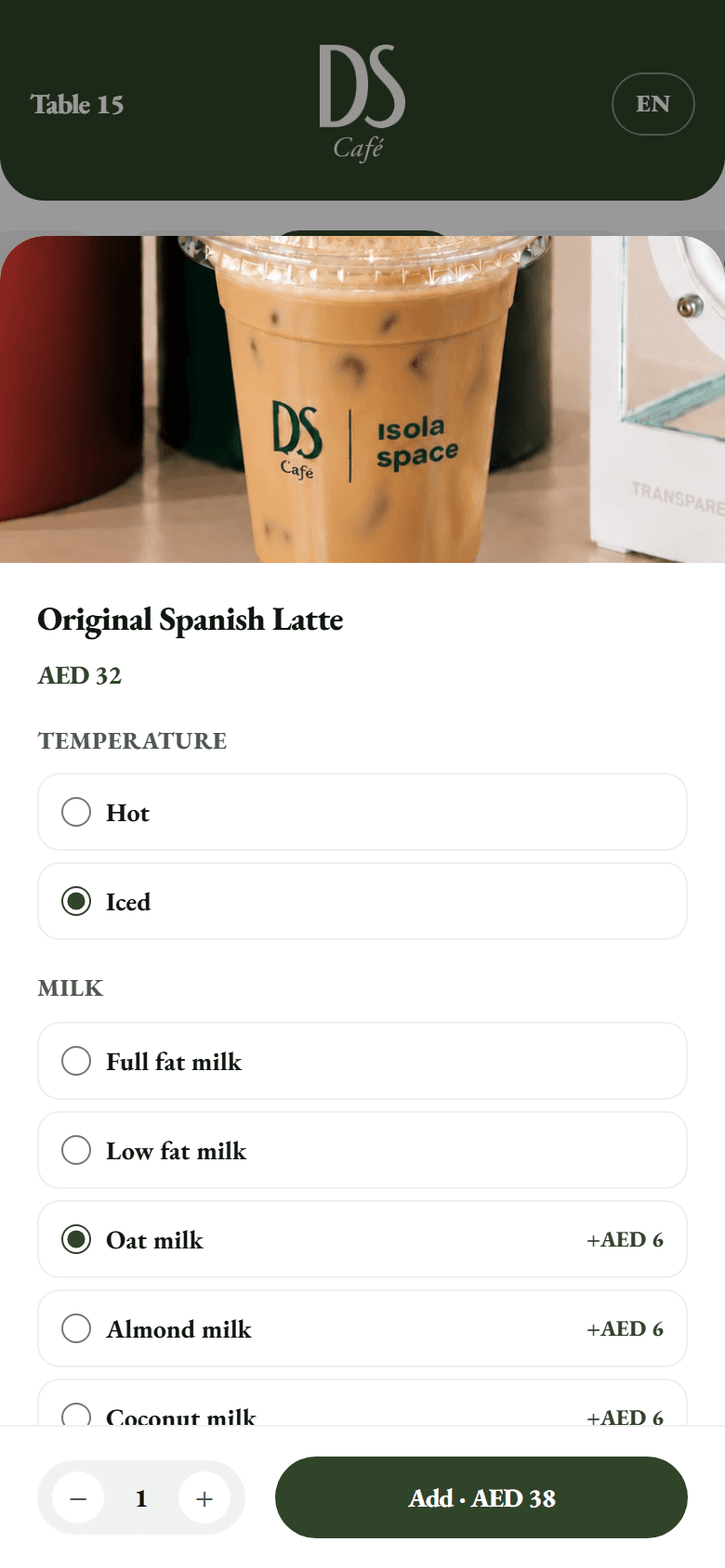
Oat or almond milk, tea variety, single or double: they choose, add a note, and the order goes to the right station.
Meanwhile, behind the counter
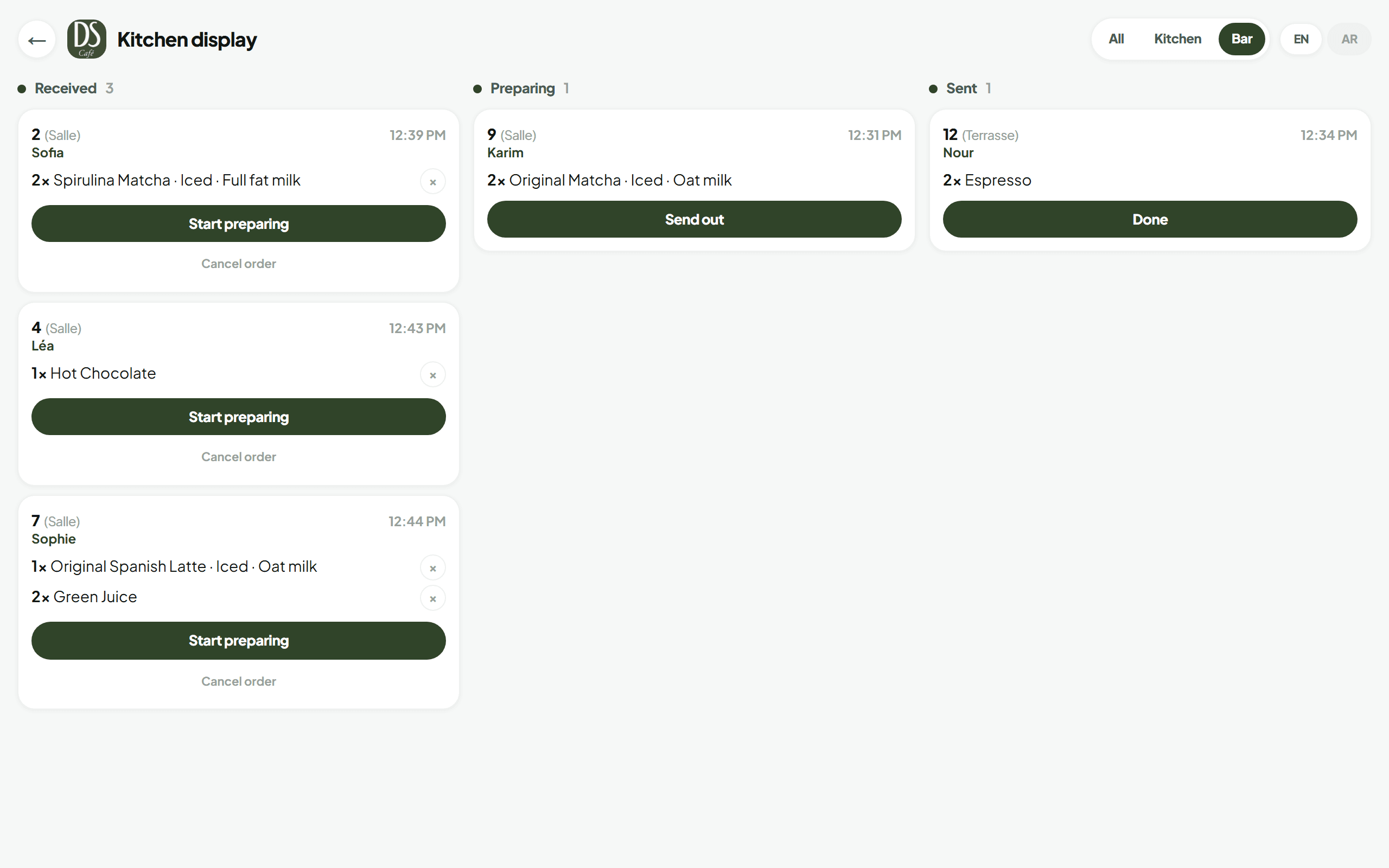
The bar receives the drinks
The ticket shows up in real time with the table and first name. One tap to mark it “preparing”, another for “sent”, and the guest sees it on their phone.
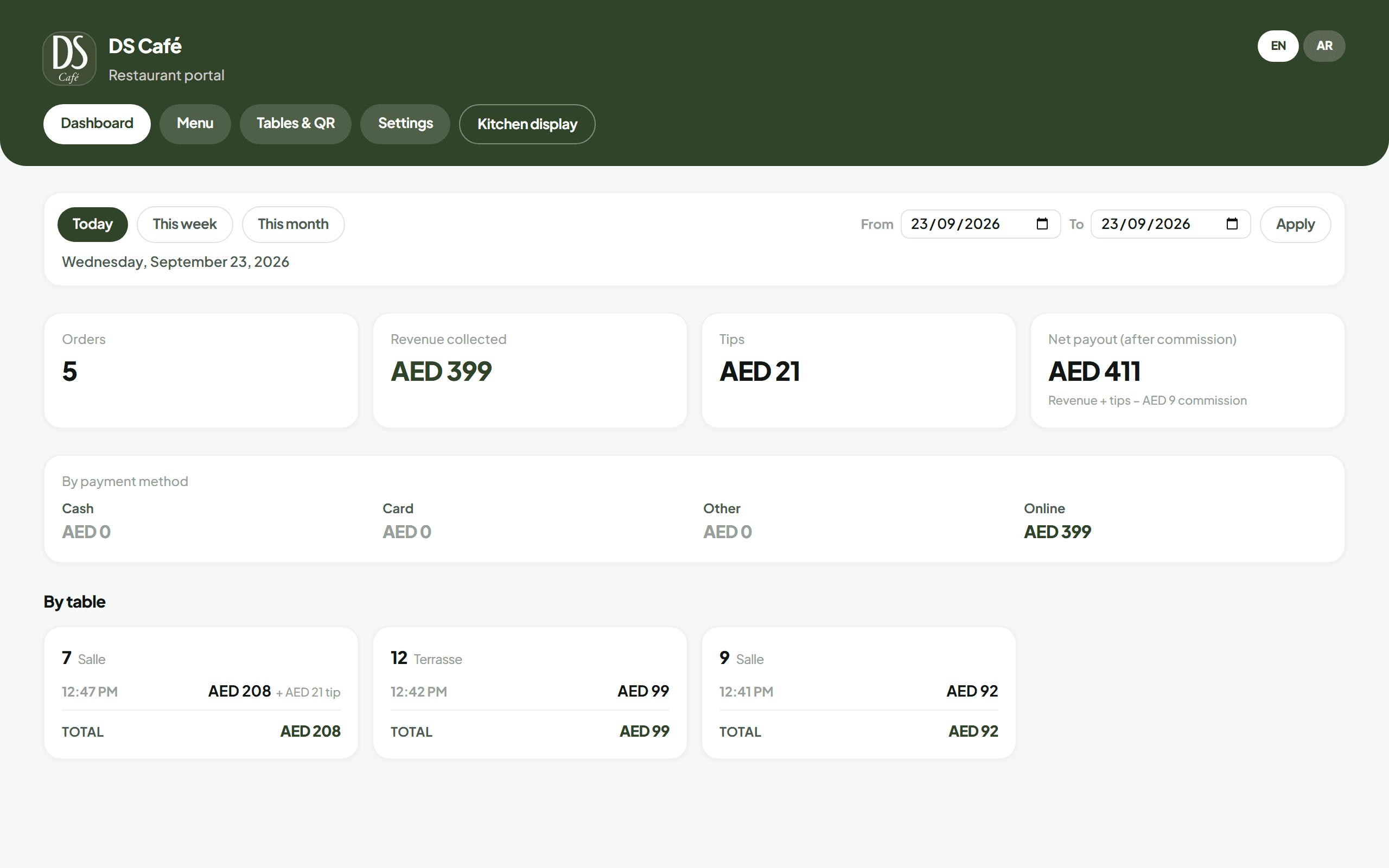
The manager follows the day
Orders, revenue collected, tips and a breakdown by table, for the day, the week, the month or any period they choose. At the end of service, they take payment at the counter and free the table in one move.
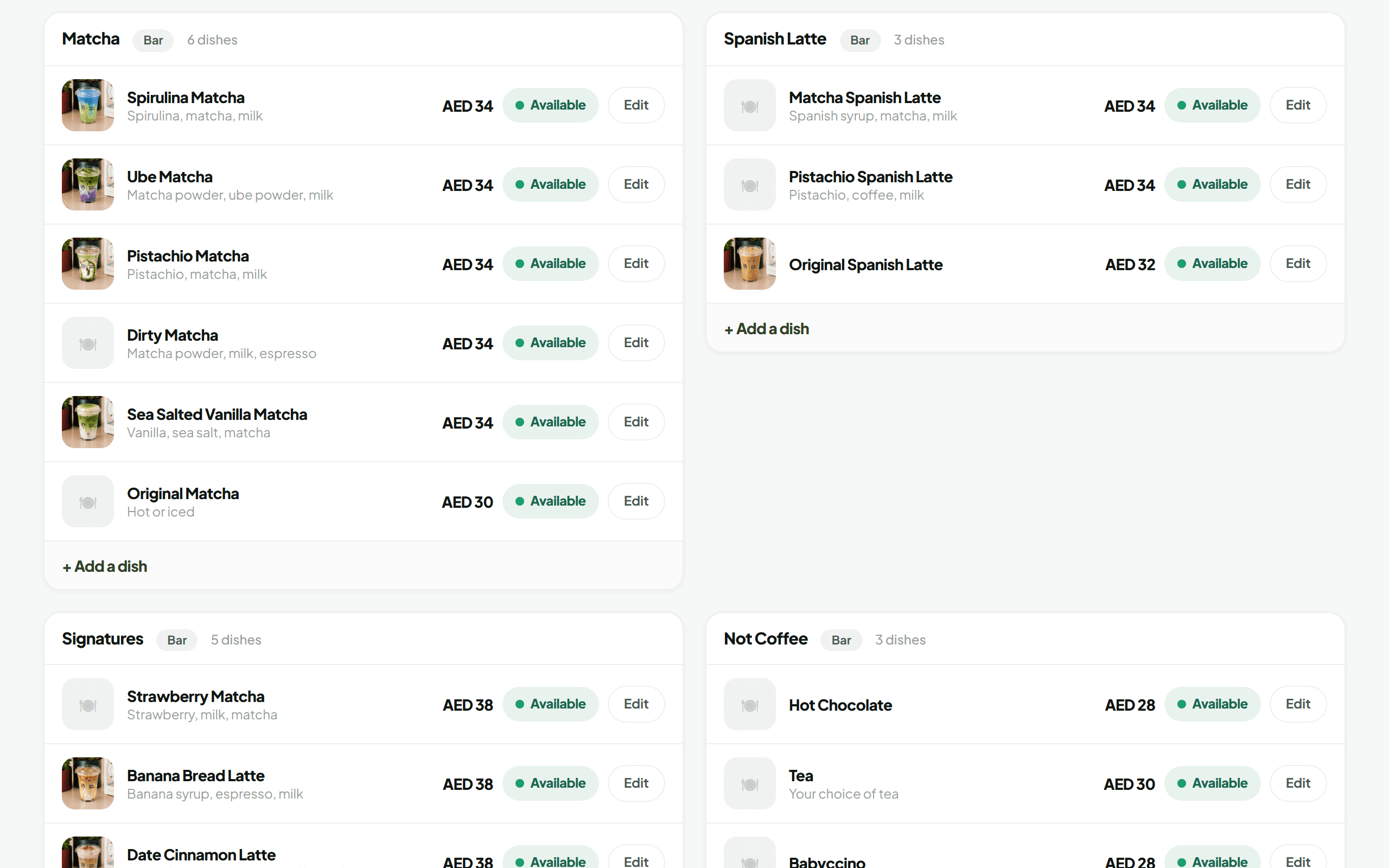
The menu is managed live
New dish, price change, sold out: the change is visible immediately on guests’ phones, in every language.
A product built on its feedback
- Dashboard by day, week, month or custom period, for its reporting.
- Choice of payment method at checkout: cash, card or other.
- “Call the waiter to pay” button on the guest side.
- QR code sheet with the DS Café logo, filterable by area (dining room, bar).
Starting in Dubai, built for the world
The highlighted pin is a venue where guests order from their table with Dinevo today. The other dots are the cities where we are opening next.
- Live venue
- Opening next: Bali, Bangkok, Ho Chi Minh City, Paris, Milan, Los Angeles
DS Café
The Lana Promenade, Dubai
United Arab Emirates
Want your venue on the map? Book a demo on your menu
Up and running in a day
Your menu
We import your menu, photos and prices.
Your QR codes
One per table, in your colours, ready for printing.
Your first service
One screen in the kitchen or at the bar, and you’re live. We fine-tune with your feedback.
The people behind Dinevo
Raphaël Véron
Co-founder, product and technology
An AI and cybersecurity engineer trained at ESILV and UCLA, Raphaël leads the product and technology behind Dinevo. He builds simple tools that solve the concrete, everyday problems of running a restaurant.
Amaury Pascal
Co-founder
Driven by entrepreneurship and new experiences, Amaury has always worked where human contact and a sense of service come first. After events, sales and several ventures of his own, he turned to restaurants and technology.
And tomorrow, in your venue?
Dinevo fits alongside your current setup, without replacing anything. We are opening the partner programme to a handful of venues: guided set-up and a free trial period, in exchange for your feedback from the floor.
Let’s talk about your menu
Raphaël Véron, Dinevo. Demo on your own menu, on request.
Book a demo on your menu